Featured Image Plus in your browser
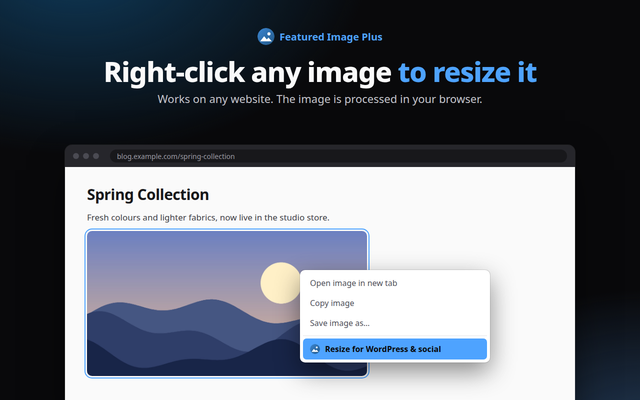
Right-click any image to resize it for WordPress and social media, and check the Open Graph image of any page. Free, private and local.
Quick answer: Featured Image Plus is a free browser extension for Chrome, Edge, Firefox and Opera. It resizes any image to WordPress featured and social sizes, and checks a page's Open Graph and Twitter card image. Everything runs in your browser; nothing is uploaded.
What it does
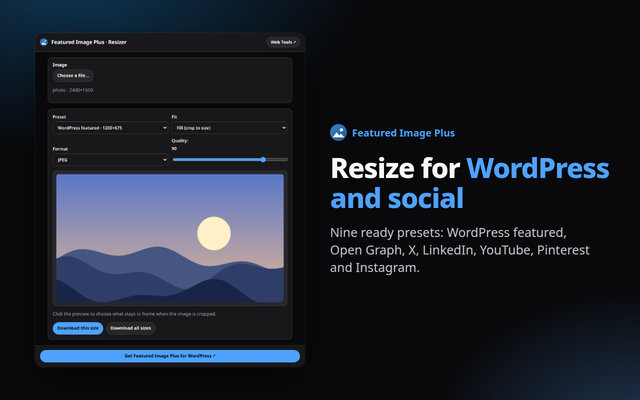
- Right-click to resize: choose any image on the web, or pick a file, and export it at nine presets: WordPress featured, Open Graph, X, LinkedIn, YouTube, Pinterest and Instagram.
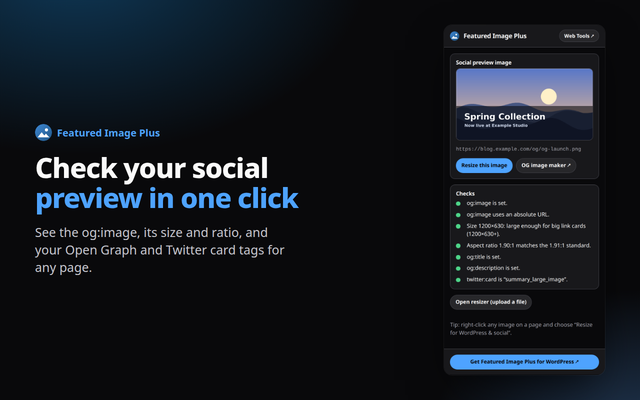
- Social preview check: open the popup on any page to see its og:image, size against 1200×630, aspect ratio, og:title, og:description and twitter:card.
- Focal point and fit: click the preview to keep the subject in frame, fill or fit with a blurred background, JPEG, WebP or PNG with a quality slider.
Private by design
The extension runs entirely in your browser. It reads a page only when you open it, sends nothing anywhere, and needs no account. See the Developry privacy policy.
Prefer the web version?
The same kind of tools work in any browser tab: try the free image resizer on this site, or get the Featured Image Plus plugin for WordPress.
Frequently asked questions
Is the extension free?
Yes. It is free, with no account and no ads.
Are my images uploaded?
No. Images are resized in your browser with the canvas API and never leave your device.
Which permissions does it need?
activeTab and scripting to read the current page when you open the popup, and contextMenus for the right-click entry. If an image's site does not let the browser read it, the extension asks for access to that one site only when you click.
Which browsers are supported?
Chrome, Edge, Firefox and Opera, each from its own store.
Is there a WordPress plugin?
Yes. Featured Image Plus by Developry adds, replaces or removes featured images in bulk or from Quick Edit. The plugin page is on developry.com.